
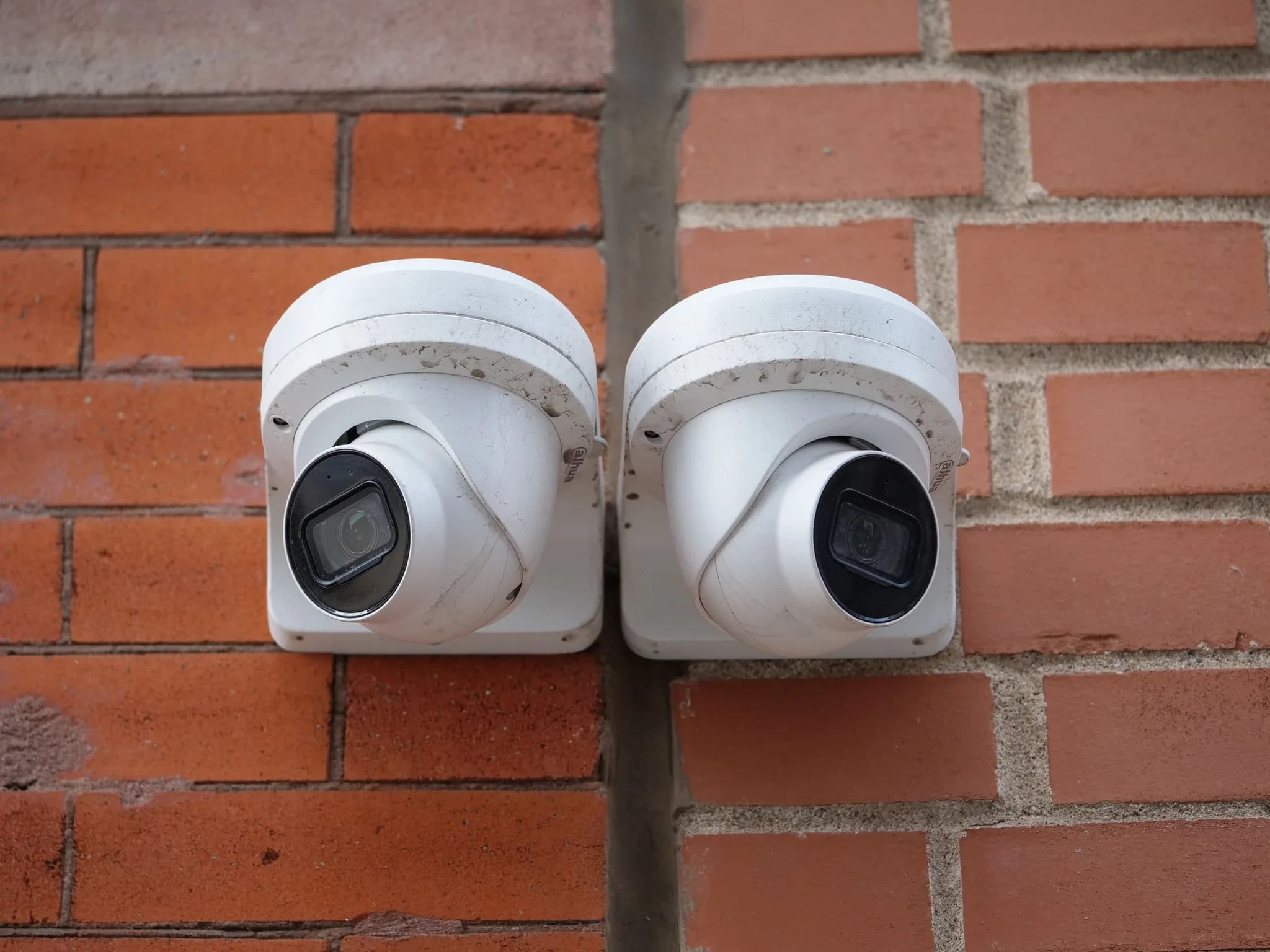
Home CCTV can legally record anything within your own property, your house, your garden and your drive, without data protection law applying to you. The moment a camera or video doorbell captures anything beyond your boundary, such as the pavement, the road, a shared driveway or a neighbour's garden, the law treats you as responsible for that footage. You then have to put up signs, keep the recordings secure, delete them regularly, and hand people the footage of themselves if they ask.
Recording sound is where most people get into difficulty, because a microphone picks up far more than a lens and conversations are treated as more intrusive than images. And while a camera on a house does not normally need planning permission, a listed building or a conservation area can change that. Here is how each of those rules works, and how to set cameras up so they stay on the right side of them.
Where the line falls for home CCTV
The Information Commissioner's Office guidance on home CCTV covers fixed cameras and smart doorbells alike, and its advice starts with where the cameras point. Aim them only at your own property and the household exemption in data protection law generally applies. Once the CCTV records beyond your property boundary, that exemption no longer covers you, because footage of other people's faces and voices counts as their personal information.
In practice very few front door cameras see only the owner's land. A doorbell on a semi or a terrace usually takes in the path, the pavement and often the house opposite. A camera covering a drive on a corner plot sees the road. That does not make the camera unlawful. It means the rules below apply to it.
What you must do once a camera sees beyond your boundary
The ICO sets out what it expects of a home CCTV owner whose cameras capture other people.
- Put up a sign telling people that CCTV is in operation.
- Delete footage regularly, automatically or by hand, rather than keeping everything.
- Store the recordings securely, so only the people who need to see them can.
- Be able to deal with a request from somebody who appears in the footage. In most cases you should respond within one calendar month.
- Consider a request from somebody who asks you to delete footage they are in.
Neighbours who are unhappy about a camera can complain to the ICO, which will consider the complaint and may investigate. As a last resort they can take legal action through the courts. The ICO notes that its guidance is under review and may change, so it is worth checking the current version if you are relying on it.
Audio is where people come unstuck
Many cameras and video doorbells record sound as well as pictures. The ICO's guidance for organisations describes audio as hard to justify, and for good reason. A lens records what is in front of it, while a microphone picks up conversations on the pavement, in the next garden and through open windows.
The case most often quoted is Fairhurst v Woodard, decided in Oxford County Court in 2021. A homeowner had fitted several cameras and a Ring doorbell, all of which recorded sound. Testing put the doorbell's reliable audio range at 68 feet, enough to cover the whole of the neighbour's house and most of her garden. Her claims for harassment and for breach of data protection law both succeeded, while her claim in nuisance was dismissed. The owner's conduct weighed heavily in that case, because the judge found he had sought to mislead his neighbour about what the cameras covered, but the audio range is the lesson for everybody else.
The simplest safeguard is to switch sound recording off on any camera that can hear beyond your boundary. Most apps have the setting, and it rarely costs you anything you actually need.
Do you need planning permission for CCTV?
For most homes, no. The Planning Portal says planning permission is not normally required for a CCTV camera on a house. If you live in a listed building or a conservation area, check with your local planning authority first, because fixing equipment to a listed building can need consent of its own. In Lincolnshire that applies to a good number of older town centres, including the conservation area in Louth.
Holiday lets and rented property
Cameras on a holiday let raise a different question, because the people being recorded are your guests. If you let through Airbnb, its rules have banned indoor security cameras in listings since 30 April 2024, whatever their purpose and however clearly they are disclosed. Outdoor cameras and doorbells are still allowed, but hosts must disclose them, and their general location, before guests book. Other platforms and agencies have their own rules, so check yours before fitting anything.
For holiday lets around Skegness and along the coast, the practical answer is usually a doorbell and a camera covering the parking area and the entrance, disclosed in the listing, with nothing inside. If you let a property, the fixed wiring has rules of its own too, and an EICR is the place to start with those.
CCTV at a business is a different matter
The household exemption does not apply at work. A business using CCTV is handling personal data from the first day, and the ICO's checklist for organisations sets out what that means.
- Register with the ICO and pay the data protection fee, if the business is not already registered.
- Put up signs where people can see them.
- Set a retention period, write it into a CCTV policy and the privacy information, and delete footage once it has passed.
- Be able to provide footage to people who ask for it, with other people blurred or removed where necessary.
- Carry out a data protection impact assessment if the CCTV is likely to be high risk to people.
- Make it clear if the cameras record sound as well as images.
Cameras in a shop, a yard or a holiday park also run off the building's fixed wiring, which has its own inspection cycle, and fixed wire testing covers that side of things.
Setting cameras up to stay within the rules
Most of the problems with home CCTV are settled at the moment the camera is fixed to the wall. A few choices make a real difference.
- Angle each camera down onto your own drive, door or garden rather than out across the street. A camera only needs to see the approach to your property to be useful.
- Use privacy masking where the recorder or app offers it. Many systems let you black out part of the picture, such as a neighbour's window or garden, so it is never recorded.
- Switch audio off unless you have a clear reason for it.
- Set the recorder to overwrite footage after a sensible period, such as a few weeks, rather than keeping it until the drive is full.
- Change the default password and keep the app and recorder updated, because recordings that leak are a security problem as well as a legal one.
- Tell your neighbours what the cameras cover. Most disputes start with a camera somebody did not know about.
Placement matters for the footage as much as for the law. A camera aimed down at your own front door gives a clear picture of whoever comes to it, while one sweeping the whole street records everybody and identifies nobody.
Getting CCTV fitted
We install and set up CCTV and alarm systems for homes and businesses across Lincolnshire, including Grantham and Lincoln, with the cameras wired in and positioned to cover what you need. For a business site, our commercial electrical work takes in the cabling and power for cameras and recorders as well. As NICEIC approved electricians, we certify the electrical work that goes with them. Get in touch with CES, or ask for a price on our free quote form.